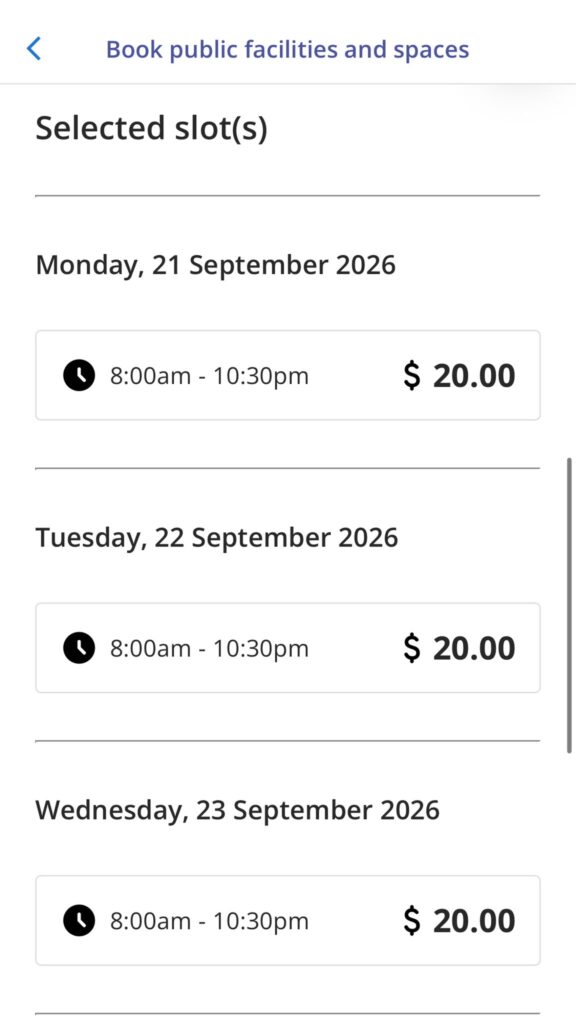

Need to book a facility for more than one day? Follow these simple steps for multiple day bookings through LifeSG App.
Step 1:
Open your LifeSG App and log in with your SingPass.
Step 2:
Select “Book Public Facilities & Spaces”.
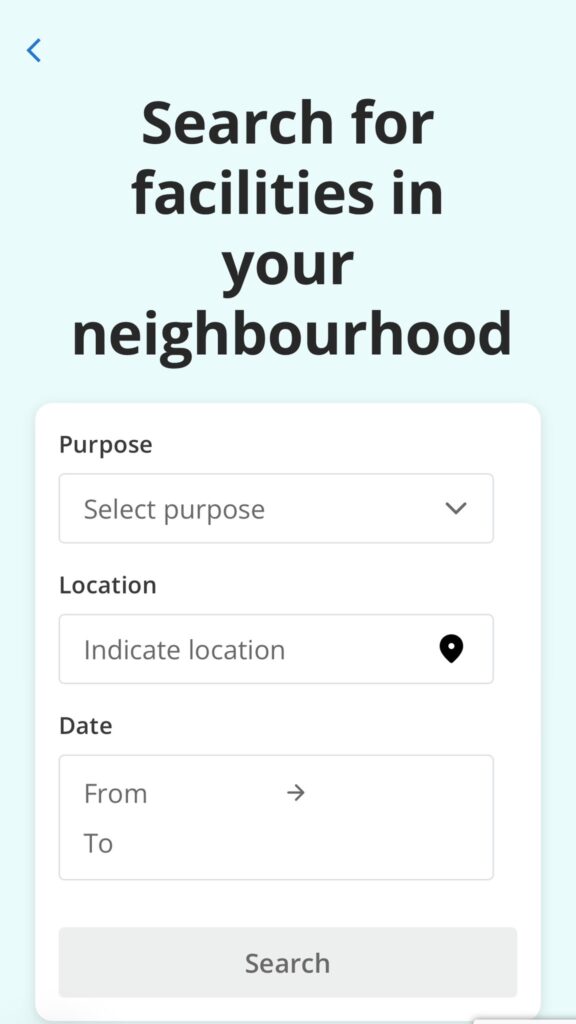
Step 3:
Select your booking purpose, location, and the start and end dates for your booking.
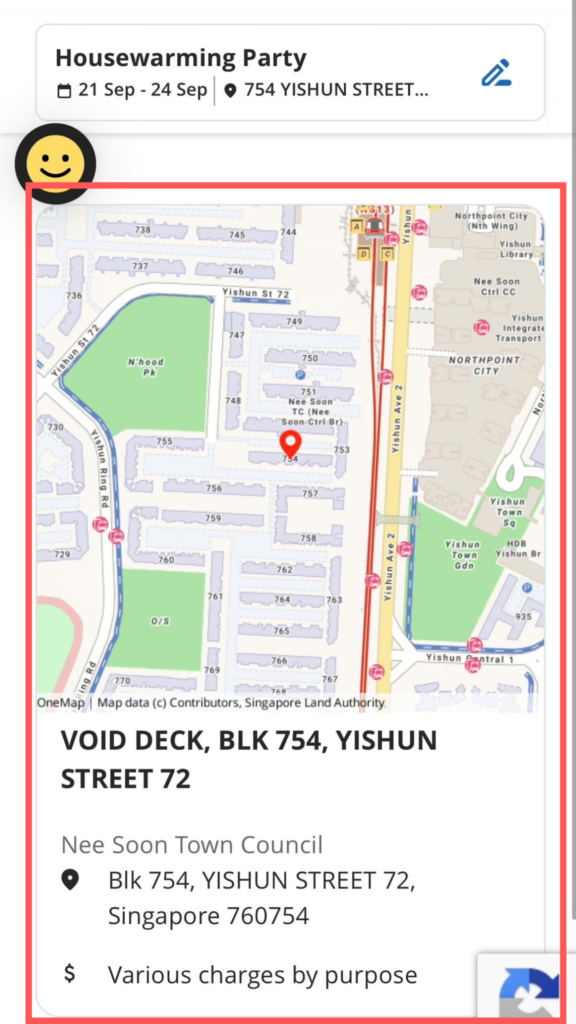
Step 4:
Choose your preferred suggested location.
Step 5:
Ensure that your start date is correct and proceed to book facility.
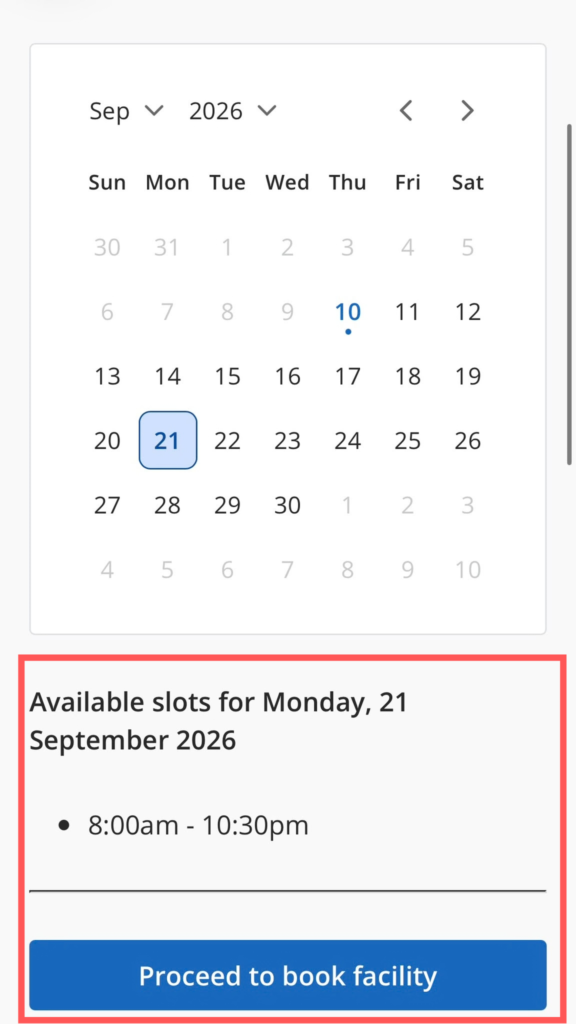
Step 6:
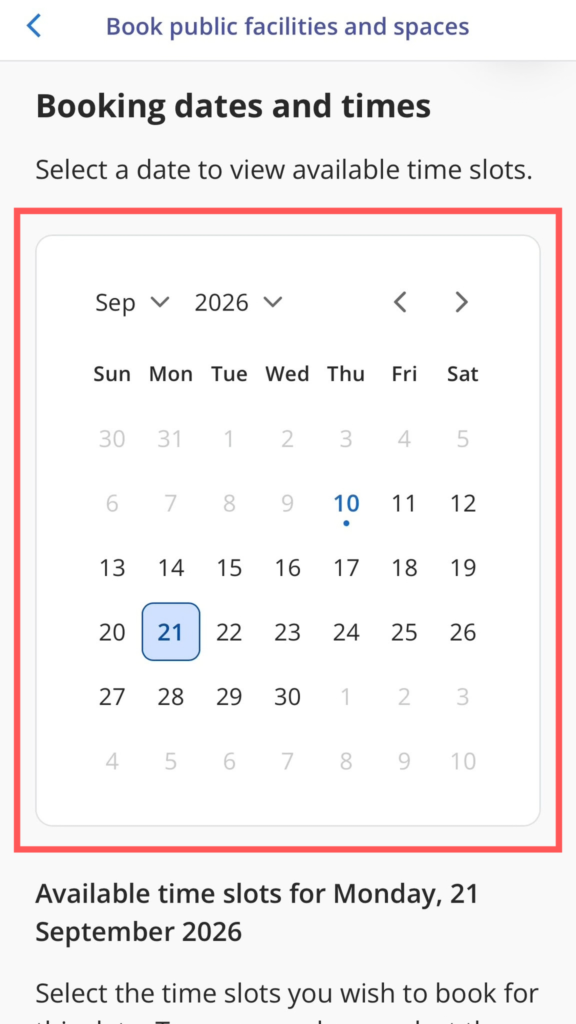
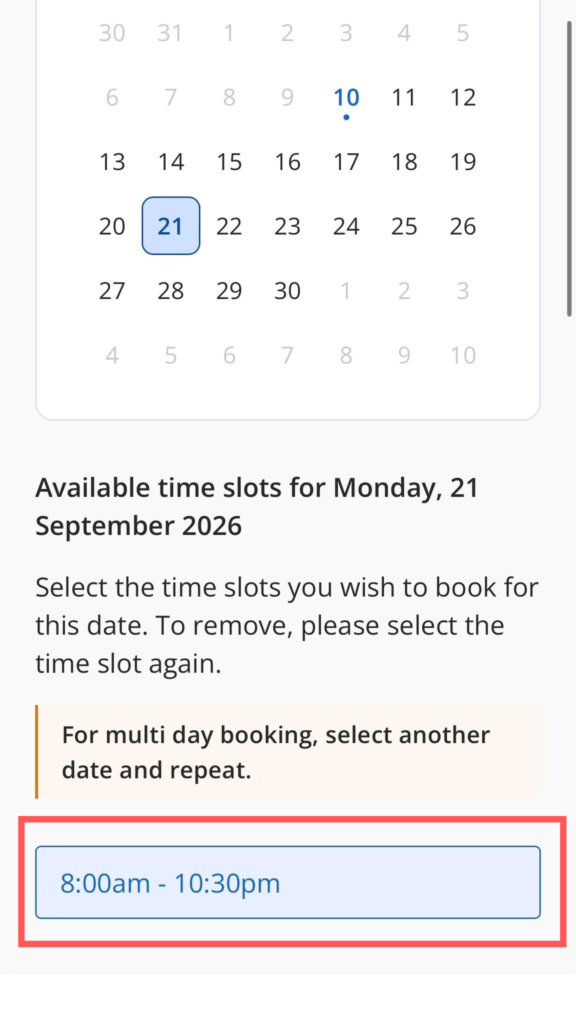
Selecting time slots
Select your start date, and then select the time slot
Step 7:
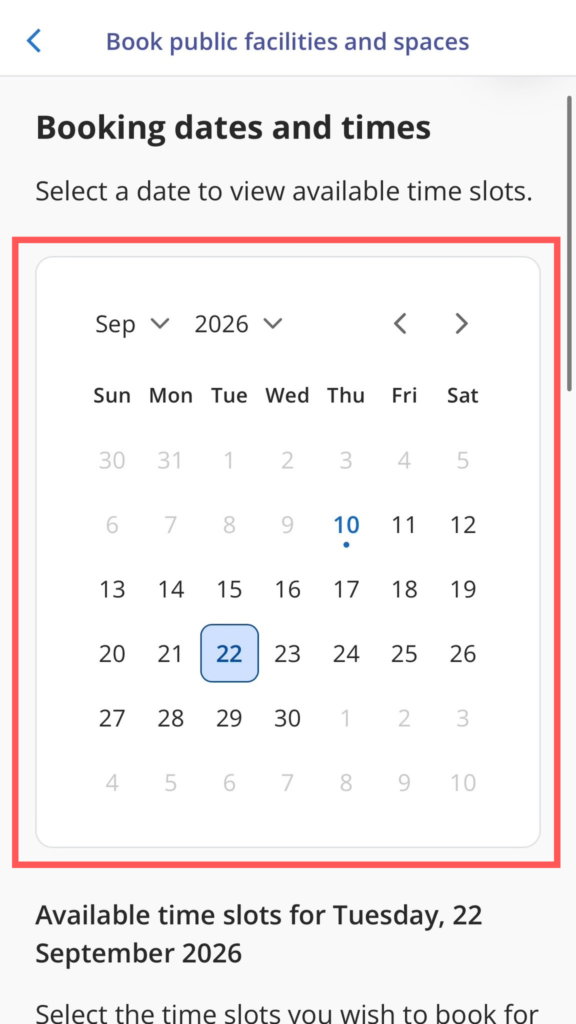
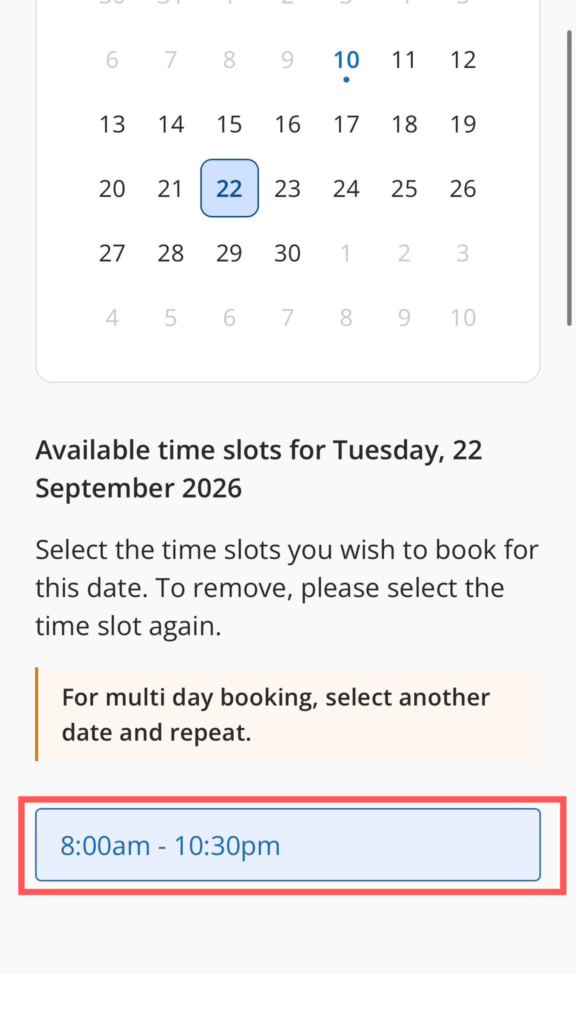
Selecting time slots
For the subsequent dates, select the individual dates and time slots again.
Repeat the steps for all your dates.
Step 8:
Ensure that all your selected dates are reflected and proceed to book.